
RealPage integration
RealPage WordPress plugin for live pricing and availability
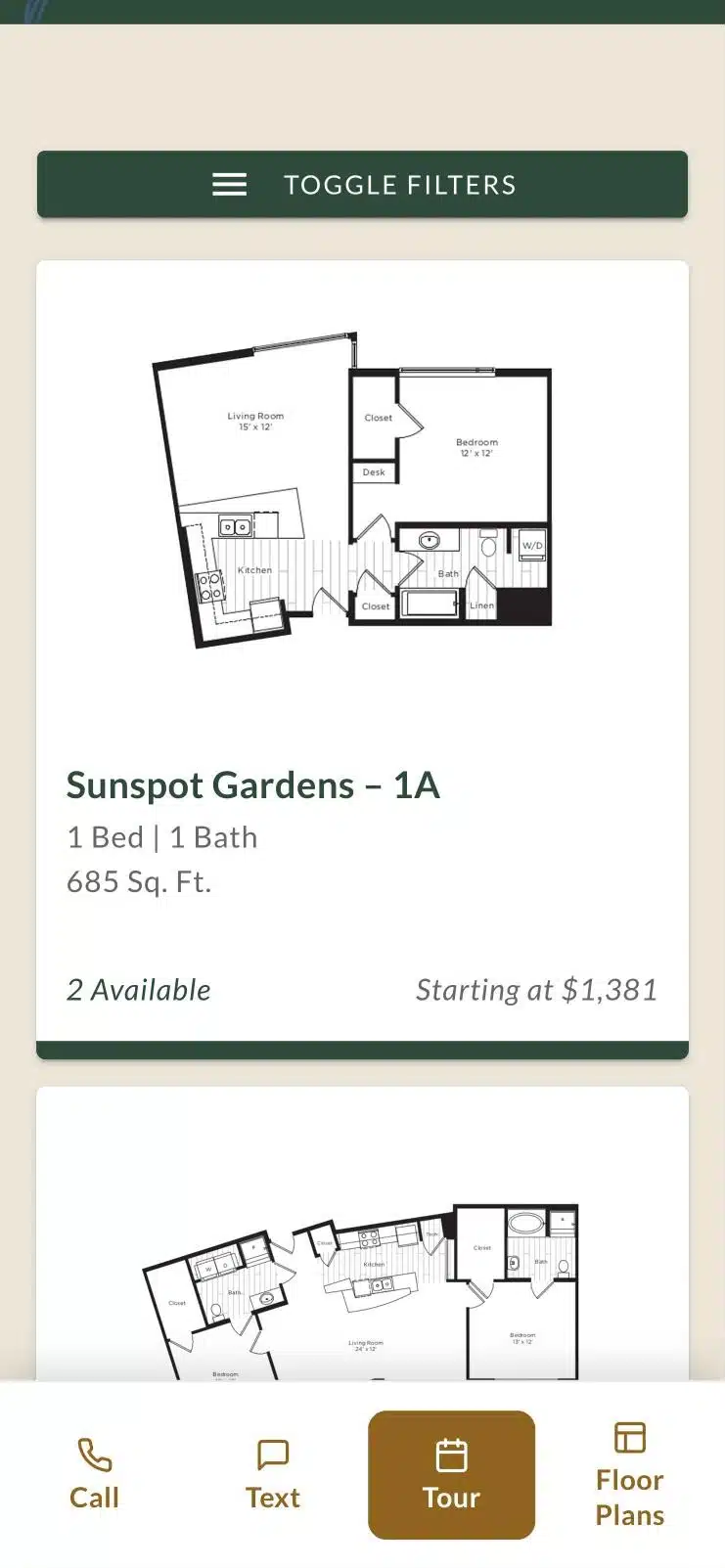
RentPress pulls floor plans, prices, units and amenities from RealPage into your WordPress website several times a day and sends website leads to Knock, Funnel or Anyone Home.
Works with

What syncs
Everything RealPage knows about your units, on your website.
RentPress requests your data from RealPage by Site ID, the same feed your listing sites use. Prices and availability come from RealPage, so you update them in one place.
Property details
- Name
- Address
- Contact details
- Website
Floor plans
- Beds and baths
- Square feet
- Min and max rent
- Max occupants
Units
- Unit, floor and building
- Market rent
- Vacancy status
- Made-ready date
Amenities
- Names
- Descriptions
RealPage updates its feed a few times a day and RentPress checks several times a day. Rent matrix data reflects the current day.
- Days ahead30Extra detailUnits available within 30 days get more detail, like the made-ready date.
- Digits per ID7PMC and Site IDsYour PMC ID and each Site ID are typically seven digits.
Where leads go
Leads go to the CRM your team already works in.
RealPage sends the data. Your leads go wherever your leasing team works: the RentPress Gravity Forms add-on sends each form to Knock, Funnel or Anyone Home, or your forms can email your team.
- Pick your CRM to see what the add-on needs and which fields it sends.
- We test that leads from your site arrive before you go live.
Knock
In the add-on settings
Knock API username and password.
Required fields
- First name
- Last name
- Community ID
Optional fields
Phone, message, move-in date, bedrooms, occupants and budget.
Funnel
In the add-on settings
A Funnel API key. We request it from Funnel, so you never handle it.
Required fields
- First name
- Last name
- Community ID
Optional fields
Phone, message, move-in date, bedrooms, budget, unit, lead source and more.
Anyone Home
In the add-on settings
Anyone Home API username, password and key.
Required fields
- First name
- Last name
- Property code
- Lead source
- Property email
Optional fields
Phone, message, move-in date, bedrooms, occupants and budget.
What you need
Subscribe once in RealPage. Send two IDs.
Check off each step as you go. You can order today either way.
- 01To doDone
Subscribe to 30 Lines
In RealPage Exchange, find 30 Lines and choose Subscribe Now. If RealPage asks you to authorize the setup, approve it.
- 02To doDone
Select your properties
Choose each property 30 Lines should sync, click Save and confirm your selections.
- 03To doDone
Send your IDs
Your PMC ID and a Site ID for each community, typically seven digits. Add them to the Onboarding Checklist and we connect each property.
- RealPage Unified Platform
- Resources
- RealPage Exchange / Integration Marketplace
- Search for 30 Lines
- Subscribe Now
- Select properties and Save
Subscribed We add your properties and send your License Key.
No logins or codes needed to order. When your quote is signed, we send a secure link for your IDs.You’re ready. We’ll add your properties and send your License Key.Get started
FAQ
RealPage and RentPress questions
Something else? Talk to us.
How do I connect RealPage to RentPress?
In RealPage Unified Platform, open Resources, RealPage Exchange / Integration Marketplace, find 30 Lines and choose Subscribe Now. Select each property, save, then send us your PMC ID and Site IDs.
What does RentPress pull from RealPage?
Property details, floor plans with beds, baths, square feet and rent ranges, units with market rent, vacancy and made-ready dates, and amenities. Rent matrix data reflects the current day.
How often does my website update from RealPage?
RealPage updates its feed a few times a day and RentPress checks several times a day, so a change can take a few hours to show on your website.
Where do website leads go?
The RentPress Gravity Forms add-on sends leads to Knock, Funnel or Anyone Home, or your forms can email your leasing team. We test that leads arrive before you go live.
A price on my website looks wrong. What should I check?
Check a listing site like Apartments.com first. It uses the same RealPage feed, so if it is wrong there too, fix it in RealPage. If only your website is wrong, send us a support request with the property name and a screenshot. We reply within 1 business day and work with RealPage for you.